
Prompt
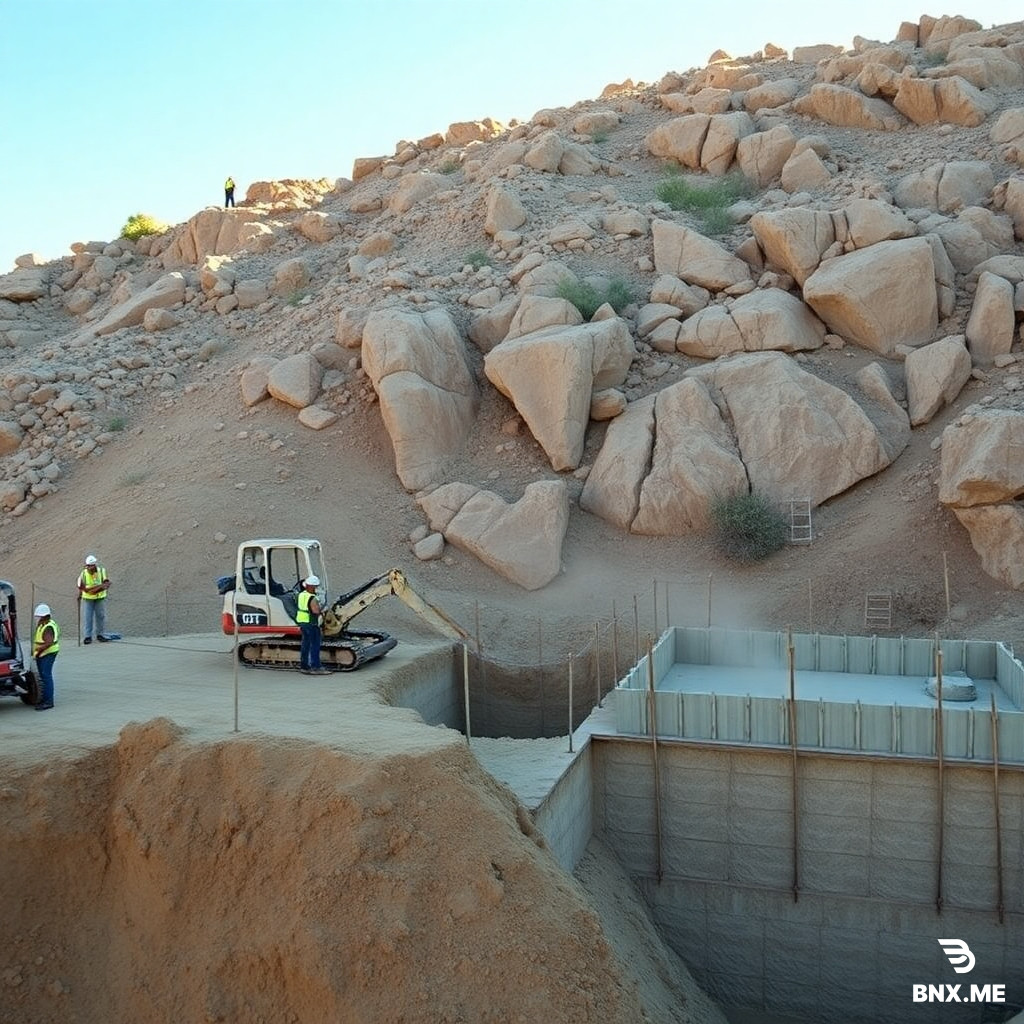
First, decide what speSECTION 1 — EMPTY LAND PREPARATION Video Prompt: A cinematic documentary video clip in a vertical 9:16 format captures the initial stage of construction on a steep, rocky mountain slope for a cliffside house. The scene opens with a rugged, undeveloped slope of loose shale and sun-bleached rock under bright, clear daylight. Workers in safety vests and hard hats are present, surveying the terrain and driving wooden stakes to mark the boundary. A small excavator levels the ground. Dust and soil are visible. Motion: The camera starts with a wide, stationary shot of the mountain slope, then slowly zooms in on the workers preparing the stakes and the excavator moving soil. Duration: 8 seconds SECTION 2 — FOUNDATION CONSTRUCTION Video Prompt: Workers dig deep trenches into the rocky mountain slope for the foundation of the cliffside house. Steel reinforcement bars are installed and wooden molds are placed. Workers pour concrete into the foundation structure and smooth the wet cement with hand tools. Dust and scaffolding materials are visible. Motion: The camera slowly tracks from left to right, following the workers pouring and smoothing the cement in the foundation molds. Duration: 8 seconds SECTION 3 — STRUCTURAL FRAME BUILDING Video Prompt: The main structure of the cantilevered cliffside viewpoint house starts rising. Heavy steel columns, support beams, and reinforced concrete are assembled into a strong framework. Scaffolding surrounds the growing structure. Construction workers are visible working at various heights. Motion: The camera pans upward along the rising steel columns and scaffolding to show the scale and verticality of the structure. Duration: 8 seconds SECTION 4 — WALL AND EXTERIOR DEVELOPMENT Video Prompt: Exterior walls are completed with modern concrete blocks and glass panel frames. Window openings and door frames are installed. Outer surfaces are plastered. Construction tools and materials remain visible around the site. Motion: The camera slowly dollies in towards the building, capturing the detailed texture of the walls and the window frames. Duration: 8 seconds SECTION 5 — ROOF INSTALLATION Video Prompt: Workers install roof beams across the top of the structure. Roof panels and waterproof layers are placed carefully. Ladders and scaffolding help workers reach the top. The cantilevered building is now fully covered by the roof structure. Motion: The camera pans from the lower parts of the building up to the roof, showing the workers carefully placing the roof panels. Duration: 8 seconds SECTION 6 — FINISHED HOUSE REVEAL Video Prompt: The construction process is complete. The finished Cliffside Viewpoint House stands fully built on the rocky slope. Windows and doors are installed, showcasing the modern architectural design. The surrounding land is cleaned and organized. The completed house appears strong and finished in natural daylight. Motion: A slow, smooth zoom-out reveals the entire completed house and its beautiful mountain environment. Duration: 8 secondscific stage or style you want to showcase (e.g., the finished cottage, the building process, or the surrounding environment).
Engine
BNX AI 1.0
Size
1:1
Created
11 May, 2026
Views
255
Downloads
2
Share
HTML Code
This is just one of the features of our unique system. Our model works very quickly and accurately. It uses advanced artificial intelligence and creates high-quality images.

ㅤBNX AI algorithms run on proprietary clusters built on NVIDIA GB300 NVL72 systems.

ㅤGeneration of images with any aspect ratio: 1:1, 2:3, 3:2, 4:5, 5:4, 4:3, 3:4, 16:9, 21:9, 9:16, 9:21

ㅤThere is nothing superfluous in our interface, only a prompt input field.

Our prices are on average 83% cheaper than those of large AI companies.

Even on the free plan, you can download generated images without restrictions.

Our own algorithm. Fast, modern. Almost perfect. Developed over 2 years.
Answers to frequently asked questions about working with the BNX AI 1.0 image generation system.
We are a young, technology-driven, growing startup. At the moment, we are not attracting funding from venture capital funds or business angels, so we would appreciate any support. You can sign up for the Enterprise plan, which will help us. 💙

When generating an image, you can open the options and enable stealth mode, then the images will not be added to the public database and no one will see them; they will be private.
We trained the BNX AI 1.0 algorithm for over a year, and it is equally adept at generating various types of images: illustrations, architecture, portraits, super-realistic images, 3D models, logos, and much more. We managed to achieve very good results when working with text, so it is easy to create both a logo and a poster.
You may use the images at your discretion. Professional and Enterprise plan users may use the images for any commercial purposes. They may also sell these images. We ask Standard plan users to include a link to bnx.me when publishing images, but this is not a mandatory requirement.